

DrifterBuoy Android App
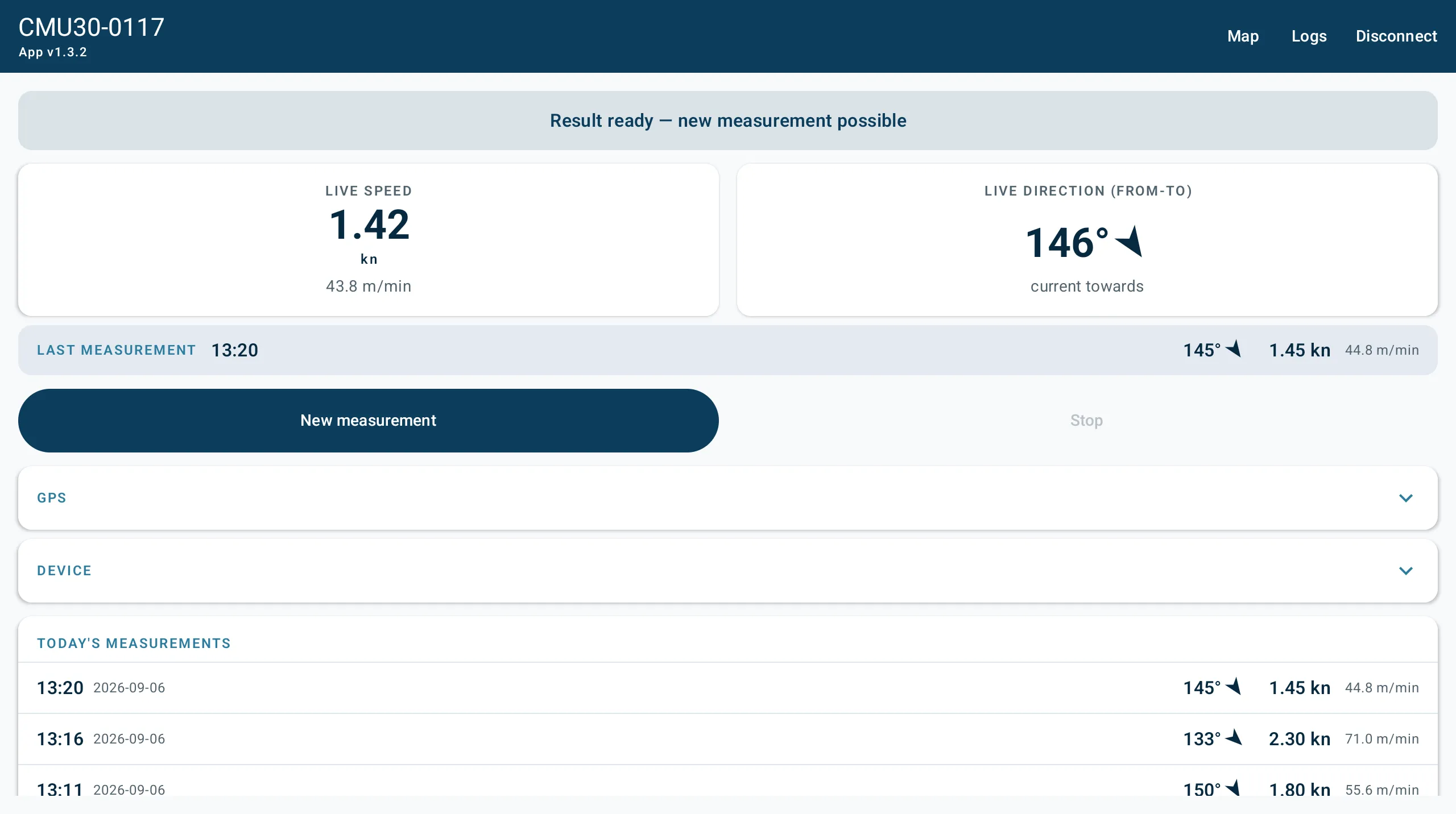
The DrifterBuoy app is the buoy’s remote control and its display. It connects over Bluetooth, so you can start a measurement, watch the current live and read the results without touching the buoy or joining its WiFi network.
What it does:
- Find and connect to the buoy over Bluetooth
- Watch the current live while it measures, one reading per second
- Start and stop a measurement from the boat
- Download the measurement files off the buoy’s SD card
- See the day’s measurements on a map
- Estimate the current across the whole course area, not just where you measured
Typical use is a race course: drop the buoy at three to six places and build up a picture of what the water is doing where the racing happens.
At a glance
Section titled “At a glance”| Works with | DrifterBuoy CMU-30 |
| Connection | Bluetooth Low Energy — no WiFi, no pairing code |
| Requires | Android 8.0 or newer, with Bluetooth Low Energy |
| Live update rate | One reading per second |
| Maps | OpenStreetMap |
| Times shown | Always in your phone’s own timezone |
| Distribution | Direct APK download; not on the Play Store |
| Current version | v1.3.2 |
How the app fits together
Section titled “How the app fits together”The app follows the connection: four screens, and you always know which one you are on by whether the buoy is connected.
- Splash — the Fastrrr logo, about two and a half seconds.
- Scan — shown whenever nothing is connected. Find the buoy and tap to connect.
- Live — the main screen while connected. The current right now, the last result, and the Start and Stop buttons.
- Logs and Map — both opened from the Live screen’s top bar, and Back returns you to Live.
If the buoy disconnects at any point, the app returns to the Scan screen by itself.
Documentation
Section titled “Documentation”Install & ConnectRequirements, permissions, installing the app and finding the buoy.
MeasuringThe Live screen, running a measurement, saved files and the direction convention.
MapReading the arrows, time windows and the estimated current field.
TroubleshootingThe buoy will not appear, connection drops, blank map and more.
Download the appThe APK, and how to install it on Android.
Version history
Section titled “Version history”| Version | What changed |
|---|---|
| 1.3.2 | The window gap is a setting, kept between sessions |
| 1.3.1 | The map shows one time window at a time |
| 1.3.0 | Estimated current field: time windows, interpolation, confidence |
| 1.2.3 | Direction mode changes on the device show up without reconnecting |
| 1.2.2 | Map arrows follow the current’s actual flow direction |
| 1.2.1 | Live screen fits without scrolling |
| 1.2.0 | Map date picker — browse earlier measurement days |
| 1.1.0 | Recent results, map, Fastrrr theme, splash screen |
| 1.0.0 | First working build: live view, control, log download |
v1.3.0 · 2026-09-29 · 8e84846